How Do You Enlarge a Shape from a Centre?
Root Concept
Under an enlargement about O with scale factor k, every point moves to k times its distance from O, along the same ray.
CodePLU Goal
Upgrading Human Mental Models
Learn how to think in Workflows

Concept Development By codeplu.com
Measure the step from the centre to the point, then repeat it. Distances from anywhere else are irrelevant.
The Movement That Does Not Keep the Size
The three movements so far — reflecting, sliding and turning — all left the shape exactly as it was and only changed where it sat. Every length and every angle came through untouched, which is why each image was congruent to its object. This one breaks that.
An enlargement makes a shape bigger or smaller. It needs two things: a centre, and a scale factor. The centre is a fixed point that does not move, and the scale factor says how many times further from that centre everything else ends up. With a centre O and a scale factor of 2, a point two squares from O goes to four squares from O, along the same line out of O. A point five squares away goes to ten.
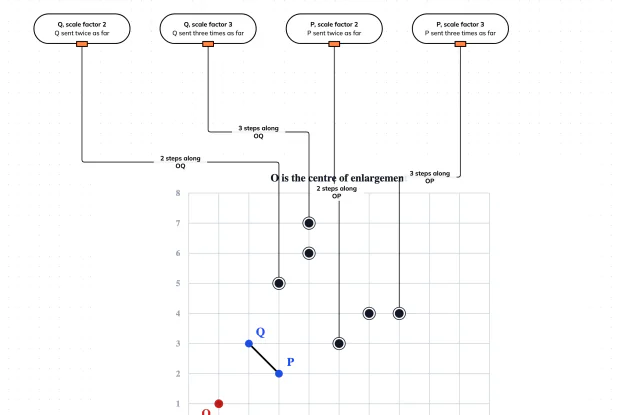
What it does not change is the shape itself. Every length is multiplied by the same factor and every angle stays exactly the same, so the image is similar to the object rather than congruent to it — the same shape at a different size. In the playground below, two points P and Q are enlarged from the centre O by factors of 2 and 3, and your job is to find where each one lands.
Counting from the Centre, and the Mistake That Looks Right
How do you find where a point lands?
Work out the step from the centre to the point, then repeat that whole step as many times as the scale factor says. In the playground O is at (1, 1) and Q is at (2, 3), so the step from O to Q is 1 across and 2 up. A scale factor of 2 means the image is two of those steps from O: 2 across and 4 up, landing at (3, 5). A scale factor of 3 means three steps, so 3 across and 6 up, landing at (4, 7). Notice the image always stays on the straight line out of O through the original point — enlargement slides things along rays from the centre and never off them.
Why is counting from the centre, not the origin, the whole thing?
Because the centre is the only point the enlargement holds still, and every distance is measured from it. The tempting shortcut is to multiply the point's coordinates instead: Q is at (2, 3), so doubling gives (4, 6). That is a perfectly good calculation and it is the wrong answer, because it enlarges from the origin (0, 0) rather than from O. Both of the spare positions in the playground are built from exactly that slip. The two methods only agree when the centre happens to be the origin, which is the special case questions use to lull you before moving the centre somewhere else. Make the step from the centre the first thing you write down and the trap cannot catch you.
What does a scale factor less than one do?
It shrinks the shape, and it is still called an enlargement. A scale factor of a half sends every point to half its distance from the centre, so the image ends up between the centre and the original. The word is used for the whole family of size changes rather than only the ones that grow, which reads oddly in English but keeps the mathematics tidy: one rule covers every case. A scale factor of exactly 1 leaves everything where it is, and a negative scale factor sends points through the centre and out the other side, producing an upside-down image. All of these are the same calculation with a different number, which is the reason one word covers them.
What stays the same under an enlargement?
The angles, and the proportions. Every length is multiplied by the same scale factor, so a side that was twice as long as another is still twice as long afterwards, and every angle is unchanged. That combination is exactly what the word similar means, so an enlargement always produces a shape similar to the one it started with. It is the link back to the Similar Shapes track: the scale factor there and the scale factor here are the same number, and the fact that area grows by the square of it applies to enlargements too — double the lengths and the area goes up four times. What is not preserved is distance from anything: the image sits somewhere else entirely, which is why an enlargement is a movement and not just a resizing.
Real World Example
A Projector on a Screen
A projector performs an enlargement every time it is switched on, and the lamp inside it is the centre.
Step 1
The lamp is the centre
Light leaves a single small source inside the projector and travels outwards in straight lines through the slide or panel and on to the screen. Every point of the image is therefore on a straight ray out of that source, which is precisely the rule an enlargement follows. The source is the centre of enlargement: it is the one place that does not move, and everything else is positioned by how far along its own ray it has travelled. This is why the picture on the screen is the right way up and the right way round rather than mirrored — nothing has been flipped, only pushed further out.
Step 2
Distance sets the scale factor
Move the projector twice as far from the screen and the picture comes out twice as wide and twice as tall, because every ray has travelled twice as far from the lamp before meeting the wall. That is a scale factor of 2. Halve the distance and the scale factor is a half, giving a picture a quarter of the area. Installers work backwards from this: they know the screen width they want and the projector's throw ratio, and the distance falls out of the arithmetic. The relationship is exact, which is why a projector mounted a centimetre too far back overshoots the screen predictably.
Step 3
The picture stays the same shape
What never changes is the proportions. A 16-by-9 picture is still 16 by 9 at any distance, a circle on the slide is still a circle on the wall, and the angles in a diagram are unaltered. The image is similar to the original at every distance, which is the whole reason projection is useful. The one thing that does change unhelpfully is brightness: the same light is spread over four times the area when the scale factor is 2, so the picture is four times dimmer. That is the area rule from the similar-shapes track showing up as a practical limit.
FAQs
Final Words
An enlargement needs a centre and a scale factor, and it is the one movement in this track that changes the size of a shape. Find the step from the centre to a point, repeat that step as many times as the scale factor says, and the image lands on the ray out of the centre. The centre itself never moves, and measuring from anywhere else — the origin especially — gives a confident wrong answer.
That completes the picture of how shapes can be moved. Reflections, translations and rotations keep every length and angle, so their images are congruent; an enlargement keeps the angles and the proportions but scales the lengths, so its image is similar. A factor below one shrinks, a factor of one changes nothing, and a negative factor turns the shape through the centre as well.
Continue This Track
This concept is part 6 of Symmetry and Moving Shapes.
What Is a Line of Symmetry?
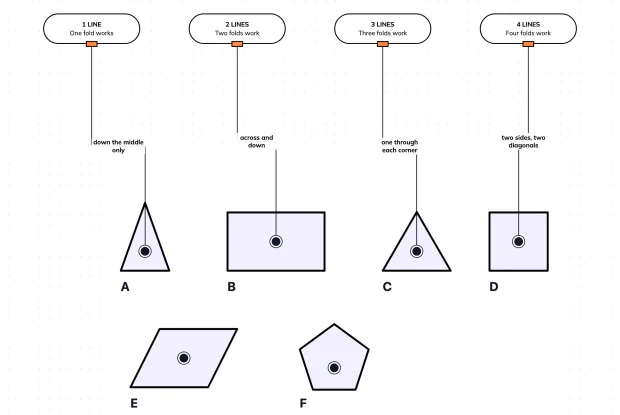
A line of symmetry is a fold that makes both halves land exactly on top of each other. Cutting a shape into two equal halves is not the same thing, which is why a parallelogram has no lines of symmetry at all. Count the folds on six shapes in an interactive playground.
What Is Rotational Symmetry?
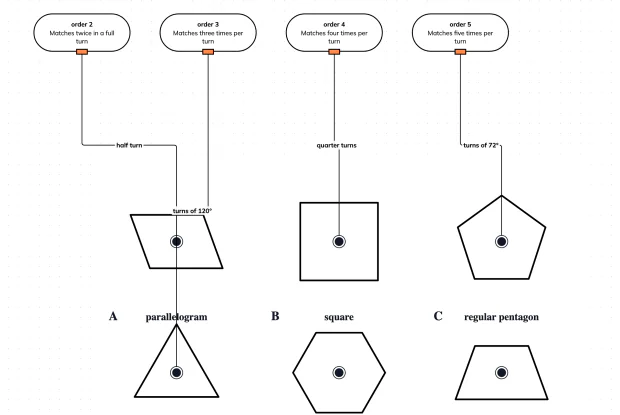
A shape has rotational symmetry when turning it about its centre lands it back on itself before a full turn is done. The order counts how many times that happens. Find the order of six shapes in an interactive playground.
How Do You Reflect a Shape in a Mirror Line?
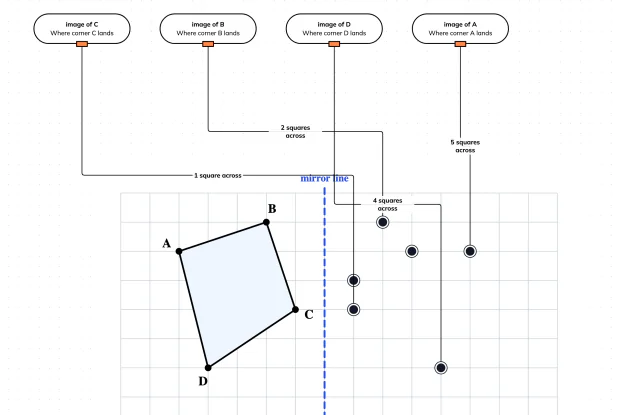
Reflecting a shape means sending every corner the same distance to the other side of a mirror line, along a path at right angles to it. Place all four corners of a quadrilateral in an interactive playground.
How Do You Translate a Shape?
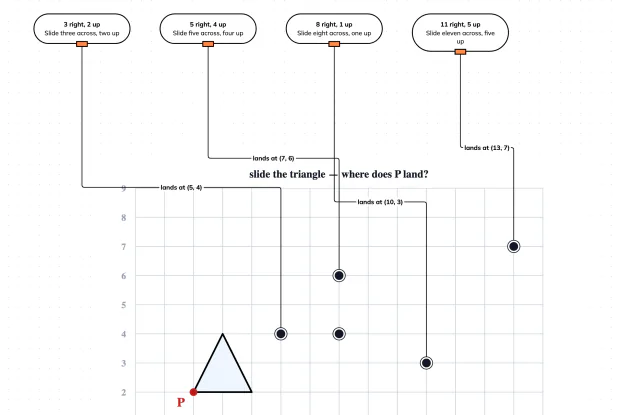
A translation slides every point of a shape by the same amount across and the same amount up. Nothing turns and nothing flips. Work out where a marked corner lands under four different slides in an interactive playground.
How Do You Rotate a Shape?
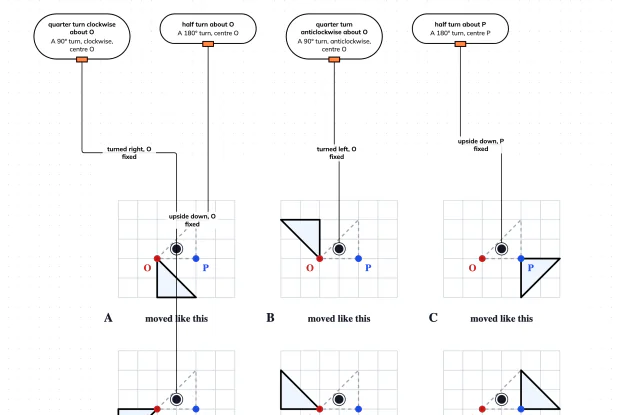
A rotation turns a shape about a fixed centre. Change the centre and the same angle sends the shape somewhere completely different. Match four turns to the pictures they produced in an interactive playground.
How Do You Enlarge a Shape from a Centre?
An enlargement multiplies every distance from a fixed centre by the same scale factor, so the shape changes size but not proportions. Place four enlarged points in an interactive playground.